Sunday, September 13, 2009

Compaq Presario V6610EO XP drivers

Chipset Driver,install and reboot.If offered,choose the option to install ONLY the drivers.
http://tinyurl.com/3ajgxy

Nvidia Graphics:
http://tinyurl.com/2q6ss4

Install .Netframework before Quickluanch button
.Net Framework(before Q.L.):
http://tinyurl.com/758p8

HP Quick Launch:
http://tinyurl.com/5om4px
(this will resolve unknown driver issue)

AUDIO:
Install MS-UAA before audio:

MS-UAA: Download or Download
(Microsoft Universal Audio Architecture (UAA) Bus Driver for High Definition Audio (sp33867))

restart and install

Audio: Download(direct) or Download
Conextant Highdefinition Audio Driver

Modem:recomended: Download (if this modem driver didn't work use driver below)
Download(direct) or Download
HDAUDIO Soft Data Fax Modem with SmartCP

Yuan EC680 Analog TV Tuner Driver
Download or Download

HP Quick Launch Button:
Download or Download
newer version: Download

WIRELESS:
NOTE: YOU NEED TO INSTALL BLUETOOTH FIRST, RESTART AND THEN INSTALL WIRELESS

Software Support for HP Integrated Module with Bluetooth Wireless Technology:
Download(direct) or download

also install:
Software and Drivers for HP Integrated Module with Bluetooth Wireless

restart and then install wireless:

Broadcom wirelesss lan driver
Download(direct) or Download

HP Wireless Assistant:
Download(direct) or Download

Ricoh 5-in-1 Card Reader
Bold
Download(direct) or Download
HP Pavilion Webcam Driver
Download(direct) or download

HP 1.3 MegaPixel (MP) Webcam Software Drivers
Download(direct) or Download

Synaptics Touchpad
Download(direct) or download

HP Optical USB Mobile Mouse Driver (optional)
Download(direct) or Download

Yuan EC300 DVB-T TV Tuner Driver (optional)
Download(direct) or Download

HP Pavilion dv6602au Windows XP Driver


There are two links for the download, you don't need to download both just choose one. The first download link is direct download and the second link is to the official download pages, report if there are broken link and driver/software nmarked with optional is not necessarily need to be install in your machine, just use it if you need the driver. Because this driver basically for Compaq presario DV9000z cto(except graphic and chipset), theyt share the same hardware. If you need more info leave your comments.

First: install .Netframework before others:
http://tinyurl.com/758p8

Chipset Driver,install and reboot.If offered,choose the option to install ONLY the drivers.
http://tinyurl.com/3ajgxy

Nvidia Graphics:
http://tinyurl.com/2q6ss4

AUDIO:
Install MS-UAA before audio:

MS-UAA: Download or Download
(Microsoft Universal Audio Architecture (UAA) Bus Driver for High Definition Audio (sp33867))

restart and install

Audio: Download(direct) or Download
Conextant Highdefinition Audio Driver

Modem: Download(direct) or Download
HDAUDIO Soft Data Fax Modem with SmartCP

Yuan EC680 Analog TV Tuner Driver
Download or Download

HP Quick Launch Button:
Download or Download
newer version: Download

WIRELESS:
NOTE: YOU NEED TO INSTALL BLUETOOTH FIRST, RESTART AND THEN INSTALL WIRELESS

Software Support for HP Integrated Module with Bluetooth Wireless Technology:
Download(direct) or download

also install:
Software and Drivers for HP Integrated Module with Bluetooth Wireless

restart and then install wireless:

Broadcom wirelesss lan driver
Download(direct) or Download

HP Wireless Assistant:
Download(direct) or Download

Ricoh 5-in-1 Card Reader
Bold
Download(direct) or Download
HP Pavilion Webcam Driver
Download(direct) or download

HP 1.3 MegaPixel (MP) Webcam Software Drivers
Download(direct) or Download

Synaptics Touchpad
Download(direct) or download

HP Optical USB Mobile Mouse Driver (optional)
Download(direct) or Download

Yuan EC300 DVB-T TV Tuner Driver (optional)
Download(direct) or Download
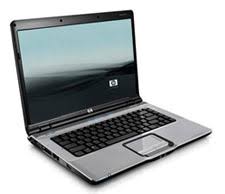
IF you have unknown driver:

.Netframework
http://tinyurl.com/758p8

HP Quick Launch:
http://tinyurl.com/5om4px

Friday, September 11, 2009

Intel (R) package (AHCI, DRAM, PCI, Q and X) SP35127

This package software support the following package below:
Download

From HP:
This package supports the following driver models:

  • Intel(R) Q35 Express Chipset Processor to I/O Controller - 29B0
  • Intel(R) Q35 Express Chipset PCI Express Root Port - 29B1
  • Intel(R) G33/G31/P35 Express Chipset Processor to I/O Controller - 29C0
  • Intel(R) G33/G31/P35 Express Chipset PCI Express Root Port - 29C1
  • Intel(R) Q33 Express Chipset Processor to I/O Controller - 29D0
  • Intel(R) Q33 Express Chipset PCI Express Root Port - 29D1
  • Intel(R) X38 Express Chipset Processor to I/O Controller - 29E0
  • Intel(R) X38 Express Chipset PCI Express Root Port - 29E1
  • Intel(R) DRAM Controller - 29F0
  • Intel(R) Host-Primary PCI Express Bridge - 29F1
  • Intel(R) Host-Secondary PCI Express Bridge - 29F9
  • Intel(R) Trusted Execution Technology - 8002
  • Intel(R) ICH8 Family USB Universal Host Controller - 2830
  • Intel(R) ICH8 Family USB Universal Host Controller - 2831
  • Intel(R) ICH8 Family USB Universal Host Controller - 2832
  • Intel(R) ICH8 Family USB Universal Host Controller - 2834
  • Intel(R) ICH8 Family USB Universal Host Controller - 2835
  • Intel(R) ICH8 Family USB2 Enhanced Host Controller - 2836
  • Intel(R) ICH8 Family USB2 Enhanced Host Controller - 283A
  • Intel(R) ICH9 6 Port SATA AHCI Controller - 2922
  • Intel(R) ICH9 4 Port SATA AHCI Controller - 2923
  • Intel(R) ICH9 LPC Interface Controller - 2910
  • Intel(R) ICH9M LPC Interface Controller - 2911
  • Intel(R) ICH9DH LPC Interface Controller - 2912
  • Intel(R) ICH9M-DH LPC Interface Controller - 2913
  • Intel(R) ICH9DO LPC Interface Controller - 2914
  • Intel(R) ICH9M-E LPC Interface Controller - 2915
  • Intel(R) ICH9R LPC Interface Controller - 2916
  • Intel(R) ICH9 LPC Interface Controller - 2918
  • Intel(R) ICH9 Family PCI Express Root Port 1 - 2940
  • Intel(R) ICH9 Family PCI Express Root Port 2 - 2942
  • Intel(R) ICH9 Family PCI Express Root Port 3 - 2944
  • Intel(R) ICH9 Family PCI Express Root Port 4 - 2946
  • Intel(R) ICH9 Family PCI Express Root Port 5 - 2948
  • Intel(R) ICH9 Family PCI Express Root Port 6 - 294A
  • Intel(R) ICH9 Family Thermal Subsystem - 2932
  • Intel(R) ICH9 4 port Serial ATA Storage Controller 1 - 2920
  • Intel(R) ICH9 2 port Serial ATA Storage Controller 1 - 2921
  • Intel(R) ICH9 2 port Serial ATA Storage Controller 2 - 2926
  • Intel(R) ICH9M 2 port Serial ATA Storage Controller 1 - 2928
  • Intel(R) ICH9M 2 port Serial ATA Storage Controller 2 - 292D
  • Intel(R) ICH9M 1 port Serial ATA Storage Controller 2 - 292E
  • Intel(R) ICH9 Family SMBus Controller - 2930
  • Intel(R) ICH9 Family USB Universal Host Controller - 2934
  • Intel(R) ICH9 Family USB Universal Host Controller - 2935
  • Intel(R) ICH9 Family USB Universal Host Controller - 2936
  • Intel(R) ICH9 Family USB Universal Host Controller - 2937
  • Intel(R) ICH9 Family USB Universal Host Controller - 2938
  • Intel(R) ICH9 Family USB Universal Host Controller - 2939
  • Intel(R) ICH9 Family USB2 Enhanced Host Controller - 293A
  • Intel(R) ICH9 Family USB2 Enhanced Host Controller - 293C

Thursday, September 10, 2009

HP Pavillion dv2601tu Windows XP Drivers

Intel Chipset,(install and reboot before other drivers):
Download

SOUND:
first isntall MS-UAA and the reboot before installing conextant
Download
or
Download


Conexant High Definition Audio Driver
Download
or Download

Intel X3100 Graphics:
Download

ALPs Touchpad:
Download

Marvell Yukon ethernet:
Download

HP Quick launch button'
Download or download

Webcam driver
Download or Download

Conexant HDAUDIO Soft Data Fax Modem with SmartCP Driver
Download or Download

Wireless:

HP Wireless Assistant

if you have intel wireless
Intel PRO/Wireless Drivers (need windows installer 3.1 before installing)
Intel PRO Network Adapter Driver

if you have broadcom:
Broadcom Wireless LAN Driver

HP Integrated Module with Bluetooth Wireless Technology Software
Download or download

Ricoh 5-in-1 Card Reader Host Controller
Download or Download

Repair Direct X

This tutorial will guide you to uninstall and reinstall direct X.

However, the problem is that the option to uninstall DirectX 9 is not in the uninstall Windows programs utility, Add or Remove Programs. So, to do this.

1. Run the Regedit: at Start > click Run and type regedit to open Registry Editor.
2. Navigate to the following registry key:

HKEY_LOCAL_MACHINE\Software\Microsoft\DirectX

3. Delete the DirectX entry, and reboot your computer.
4 .When the system restarts, default DirectX 8.1 version is restored on the system.
5. Run the dxdiag command to confirm the same.

Warning: The registry is an important component of your Windows System. For this reason, you must always make a backup of the registry before making any changes to it. You can do this either by using the File > Export command in the Registry Editor, or by using the Backup and Restore feature of a third-party registry tool.

After uninstalling DirectX, you may run a registry scan using a registry tool to remove any left-over entries and to ensure complete DirectX 9 removal. Next, to reinstall DirectX 9, perform the following steps:

1. 1. Clean boot your system:
1. - At Start > Run, type msconfig, and then press Enter to open the System Configuration utility.
2. - On the General tab, select the Select Startup checkbox, and then clear all options under it.
3. - On the Service tab, select the Hide All Microsoft Services check box and then select the Disable All button.
4. - Select OK to close the dialog box, and then restart the system.
2. 2. Finally, reinstall DirectX 9.

(You can download direct X9 from softpedia or microsoft site)

NVIDIA GRAPHIC DRIVERS TOOLS

Wednesday, September 9, 2009

Install windows XP in compaq presario CQ40-317tu

1.First make Vista backup. How to do it all informations here.

2.Update Your Bios here.
This is very important for this model. If You will not do this Your audio may not work in XP.

Now You need to slipstream Your Sata drivers (only ICH9M) with nLite.
Download Nlite: Download
Download sata Drivers: Download

Read the Guide here: Slipstream Guide

Be sure also that You are using WinXP SP2 version. If you haven't got SP2 version here you can download this service pack: Download